
Graphical Information Systems (GIS) can store spatial data. They also visualise spatial data within a graphical environment. For those looking to utilise an open-source software application for the management of spatial data, QGIS is a solution. Bringing different forms of spatial data together is one of the features the software platform offers.
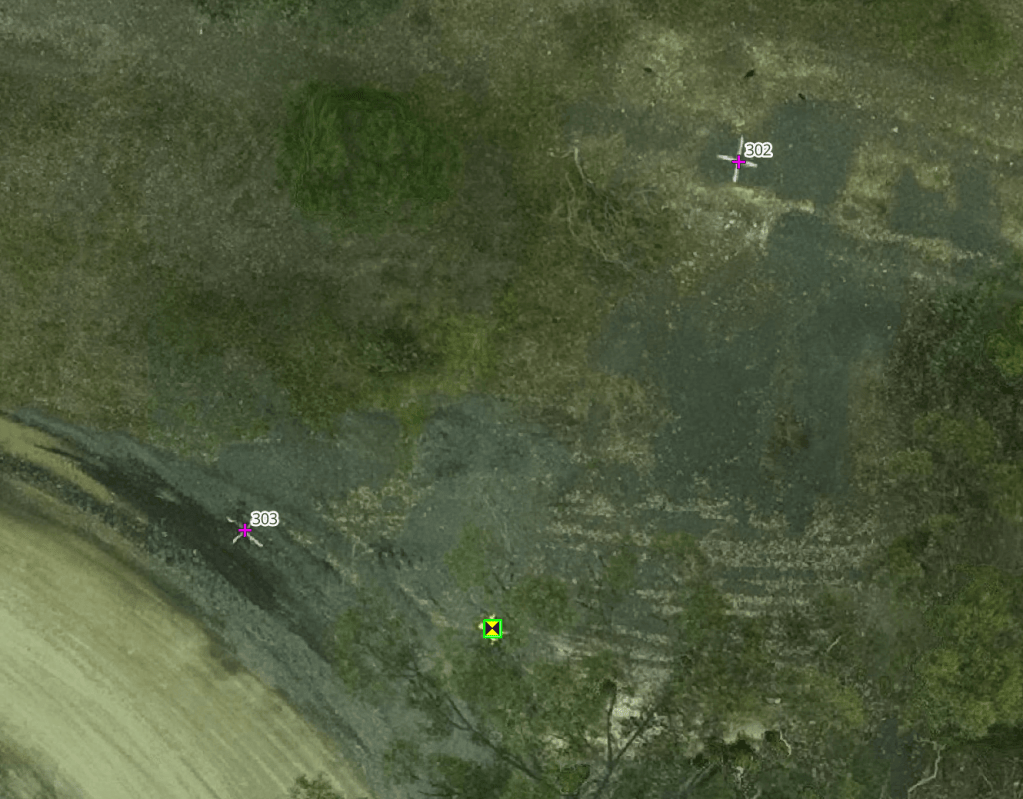
We store Ground Control Points (GCP) libraries for client as CSV files. However, as a simple ASCII file you can’t directly visualise the location of GCP sites relative to each other or the surrounding terrain. Utilising a product like QGIS provides a toolbox by which you can better understand the information.
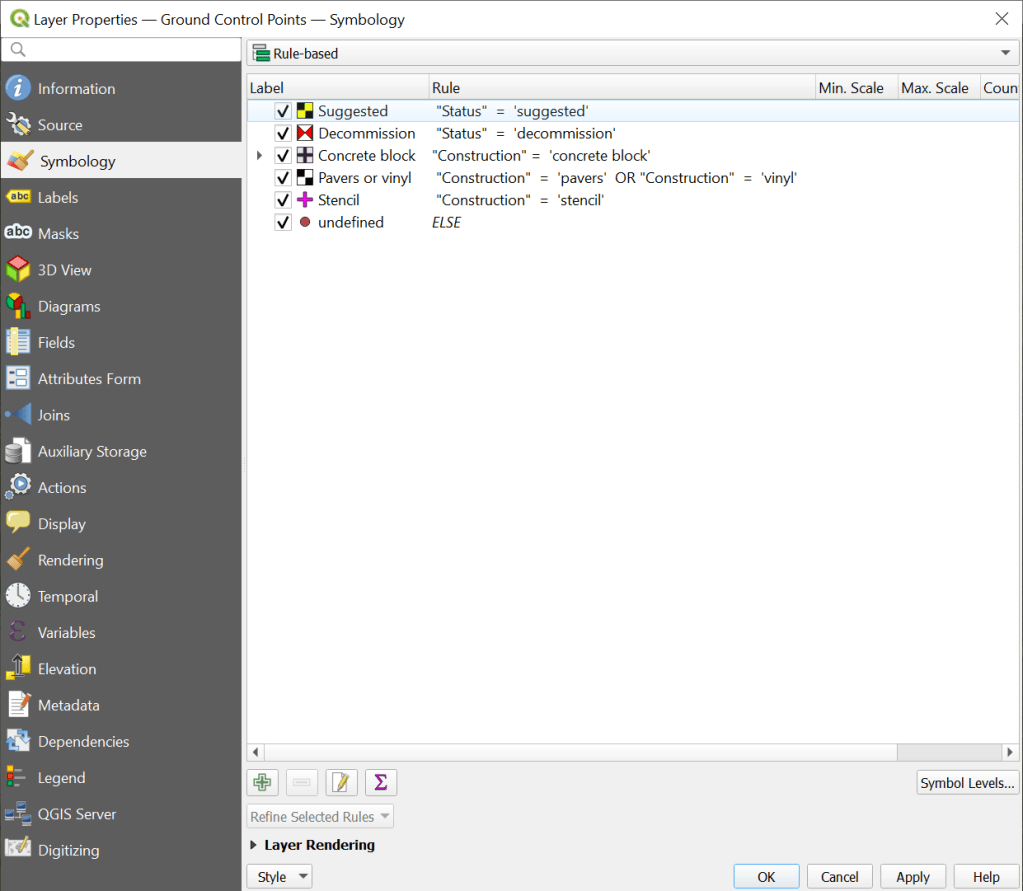
As a minimum the CSV file requires an XY location to spatially locate the GCP on an orthophoto. Yet by including other variables within the data file there is far more that can be achieved with visualisation. QGIS allows user defined symbology to be applied, enabling inherent differences between GCP to be distinguished.
Further, when dealing with large datasets (parts of which may be unrelated to each other), the capability to apply filters within QGIS avoids labouring the graphics engine by not displaying unwanted data and retaining a focus on the area of interest.
Historic locations can be retained in the library and either displayed or hidden from view simply by applying either filters or “rules based” symbology to the properties of the data set.
Thinking of creating your own GCP library. We record the following information for each GCP:
- Site Code. A 3-character identification code used to group GCP for a site and filter a related suite of GCP. Using a filtered view with this variable makes it easy to zoom the screen to a single work area.
- Global ID. A unique 10 alpha numeric character code applied to each GCP. This is used to reference the site. Avoid using duplicate names. This way you can keep a clear audit path about a GCP installation, survey, and its maintenance history.
- GNSS receiver ID. For QA purposes, we record the identifier assigned to the piece of survey equipment used to collect the GCP location.
- Capture date & time. A record of the date and time the GNSS receiver started and stopped capturing reference location data.
- Ellipsoidal coordinates. We record the computed GCP position as latitude and longitude along with the elevation.
- Orthometric coordinates. We also record the computed GCP position as eastings and northings along with the elevation.
- Coordinate Reference System. We report both orthogonal and orthometric CRS with their corresponding EPSG codes.
- Baseline distance. We record the distance (km) between the GCP position and the base station (typically a CORS location),
- Survey uncertainty. The SU for each GCP is reported in accordance with the ISCM standards.
- Construction materials. A record of the construction materials is recorded against each GCP location to assist with understanding field performance of the site.
- Reference link. Where supporting information is available in relation to the determination of the GCP location, this is provided as a hyperlink.
- Status. It is worthwhile to understand if a GCP is currently in use, requires maintenance, or is now obsolete.
- Notes. Additional long hand comments are reported for each GCP when and as required.


 David Arnott & Assoc.
Leave a comment