Traditionally, sites engage a surveyor to locate Ground Control Point (GCP) networks. If a permanent or semi-permanent GCP network has been constructed, surveying occurs after the network’s construction. This minimizes associated costs with repeated installation and pickup for later surveys. Alternatively, the surveyor can install a temporary GCP network (typically by painting locations) to meet immediate needs. But this can lead to repetitive costs should the GCP need replacement each time the site is flown.
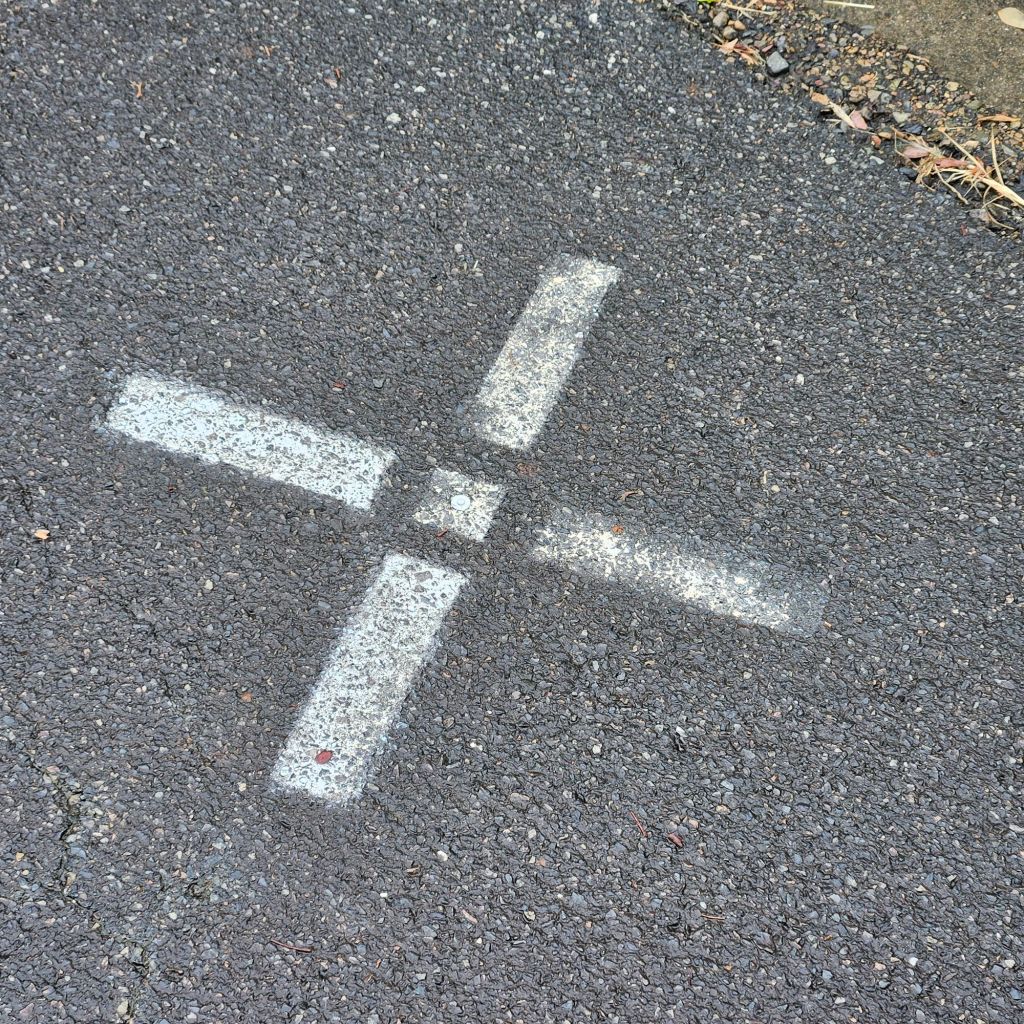
Put a survey reference mark, like a nail, at the centre of the GCP location. Do this if the GCP network was painted in. This method avoids the need to bring the surveyor back. Creating a durable reference at the GCP centre can prevent the need to repeat the GCP pick up later. This is in case the paint mark is obliterated by weathering. Still, it requires someone to undertake regular repainting of the GCP site to keep visibility for capture.
When undertaking repetitious aerial surveys over a site, the smarter option is to use commercially manufactured GCP. One choice is the product we distribute to our clients. It can be used for installing a semi-permanent GCP network.

The installation of light weight purpose built GCP can be done by site personnel. Alternatively, they can be supplied directly to your surveyor as a stock item. Packaging these GCP together as a bundle is feasible. You can hand carry them into the field and install them. At the same time, you can undertake a survey pickup of the network as constructed.
What if you were told you can complete this entire task without engaging a surveyor. If you can operate a traditional staff based GNSS receiver, you could install a semi-permanent GCP network. You can pick it up yourself. However, what do you do if you’re uncomfortable with using this style of equipment or don’t possess it. For people flying regular aerial surveys, there are other alternatives available.
Propeller Aeropoints are one way to capture survey grade Ground Control Point (GCP) data. You can do this without the need to engage a Surveyor.

Let’s be clear from the outset. Aeropoints won’t replace a Surveyor. However, they can enable anyone to complete the single function of GCP location pickup with survey grade accuracy.
Generally, Aeropoints are used by UAV pilots as SMART GCP, forming part of post-processing kinematic (PPK) workflow. Note that Aeropoints are temporary GCP, being removed post flight. When being utilised in this manner a pack of Aeropoints is scattered over the site. There are some rules around spacing GCP to maintain confidence. It could be an expensive setup cost if you plan to use the pads solely as part of a wide-ranging temporary network.
However, there are other ways that Aeropoints can be utilised, one of the most common being the installation of a more expansive semi- permanent GCP network design. There are advantages in installing semi-permanent GCP networks over temporary ones if you plan to undertake repeated surveys of a site and it has large footprint.
Aeropoints can, when combined with some low-cost items, create semi-permanent GCP network that requires minimal maintenance as a “flight ready” alternative to temporary GCP networks.
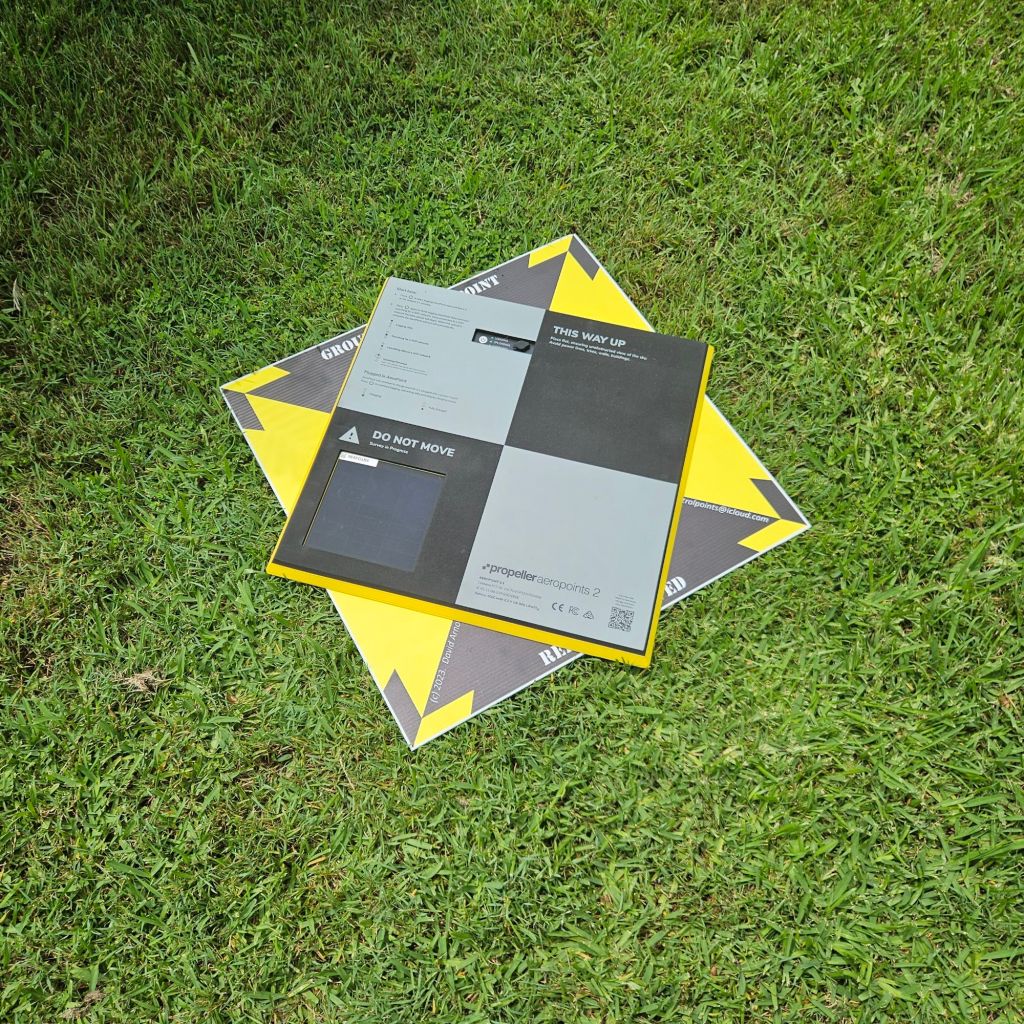
Once a semi-permanent GCP is installed, an Aeropoint is laid over the top for the required time, and locational data is collected. Once the collection data is processed a modified form of it can be utilised as the reference location for the installed permanent pad. Some advantages of Aeropoints over a GNSS staff-based receiver are:
- they enable an operator to get on with other tasks such as survey capture, whilst the Aeropoint collects data,
- when a pack of Aeropoints is laid out in the prescribed fashion multiple locations can be interrelated enhancing accuracy,
- the sample size collected using Aeropoints during survey pickup is typically far greater than what will be collected with a staff based GNSS receiver.
If you’re looking to capture coordinates in a standard coordinate reference system (CRS) then Aeropoints require access to the CORS network along with a licensing arrangement to enable their operation. It pays to check coverage on the Propeller Correction Network map to determine site suitability. Aeropoints can be set up to operate with other forms of CRS and even utilised outside the CORS network, however that’s a topic for another day.
Our company carry both Aeropoints and traditional staff type GNSS receivers. Each are useful in their own right, and both have advantages for different activities. We find that where a site wants to install their own “flight ready” GCP network without utilising the services of a surveyor then renting our Aeropoints along with purchase of consumable items ti construct semi-permanent GCP is a cost-effective solution, which can be undertaken with minimal training.
If you would like some more information on the workflow required to install GCP using manufactured pads and Aeropoints then subscribe to our website to get access to our standard operating procedure for this activity through our downloads section.


 David Arnott & Assoc.
Leave a comment